Purpose: The purpose of this document is to illustrate how to use Microsoft Dynamics AX 2012 Excel Add-in for import of purchase orders.
Challenge: Data model changes in Microsoft Dynamics related to high normalization and introduction of surrogate keys made some imports more complex. In fact the data model forming Purchase Orders was not dramatically changed and import principle remains the same – populate the header and related lines. However some information which is usually automatically generated in Microsoft Dynamics AX 2012 Rich Client by means of number sequences such as purchase order ID will have to be provided.
Solution:
Assumption: The assumption is that appropriate reference data such as vendors, etc. was created in advance.
Data Model:
Table Name | Table Description |
PurchTable | The PurchTable table contains all the purchase order headers regardless of whether they have been posted. |
PurchLine | The PurchLine table contains all purchase order lines regardless whether they have been posted or not. |
Data Model Diagram:

Walkthrough:
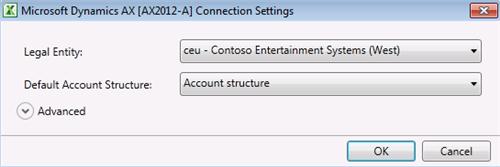
Connection
Error


Add Tables

Field Chooser

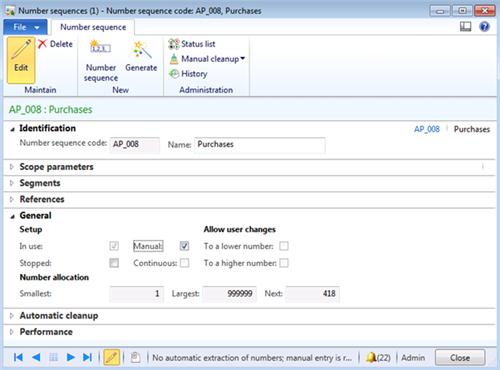
Purchase order ID number sequence
PurchTable
Field Name | Field Description |
Currency | |
Invoice account | |
Language | |
Purchase order | |
Vendor account | |
Vendor group |

PurchLine
Field Name | Field Description |
Currency | |
Group | |
Lot ID | |
Purchase order | |
Vendor account | |
Item number | |
Quantity | |
Unit price | |
Net amount | |
Dimension No. |

InventDim

Excel VLookup function may be used to find appropriate InventDimId automatically based on criteria
Sequence:
1.SalesTable - Publish Selected
2.SalesLine – Publish Selected
Result:
Dynamics AX – Purchase Order
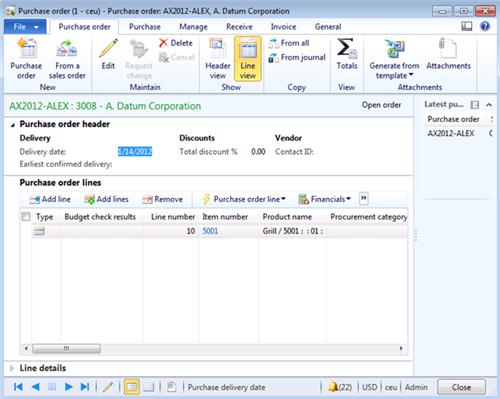
Dynamics AX – Purchase Order Invoice

SQL Trace:
Summary:
Author: Alex Anikiev, PhD, MCP
Tags: Dynamics ERP,Dynamics AX 2012, Excel, Dynamics AX 2012 Excel Add-in, Data Import, Data Conversion, Data Migration, Application Integration Framework, Purchase orders.
Note: This document is intended for information purposes only, presented as it is with no warranties from the author. This document may be updated with more content to better outline the concepts and describe the examples. It’s recommended that all Data Model changes introduced as a part of this demonstration will be removed once you complete data import exercise.